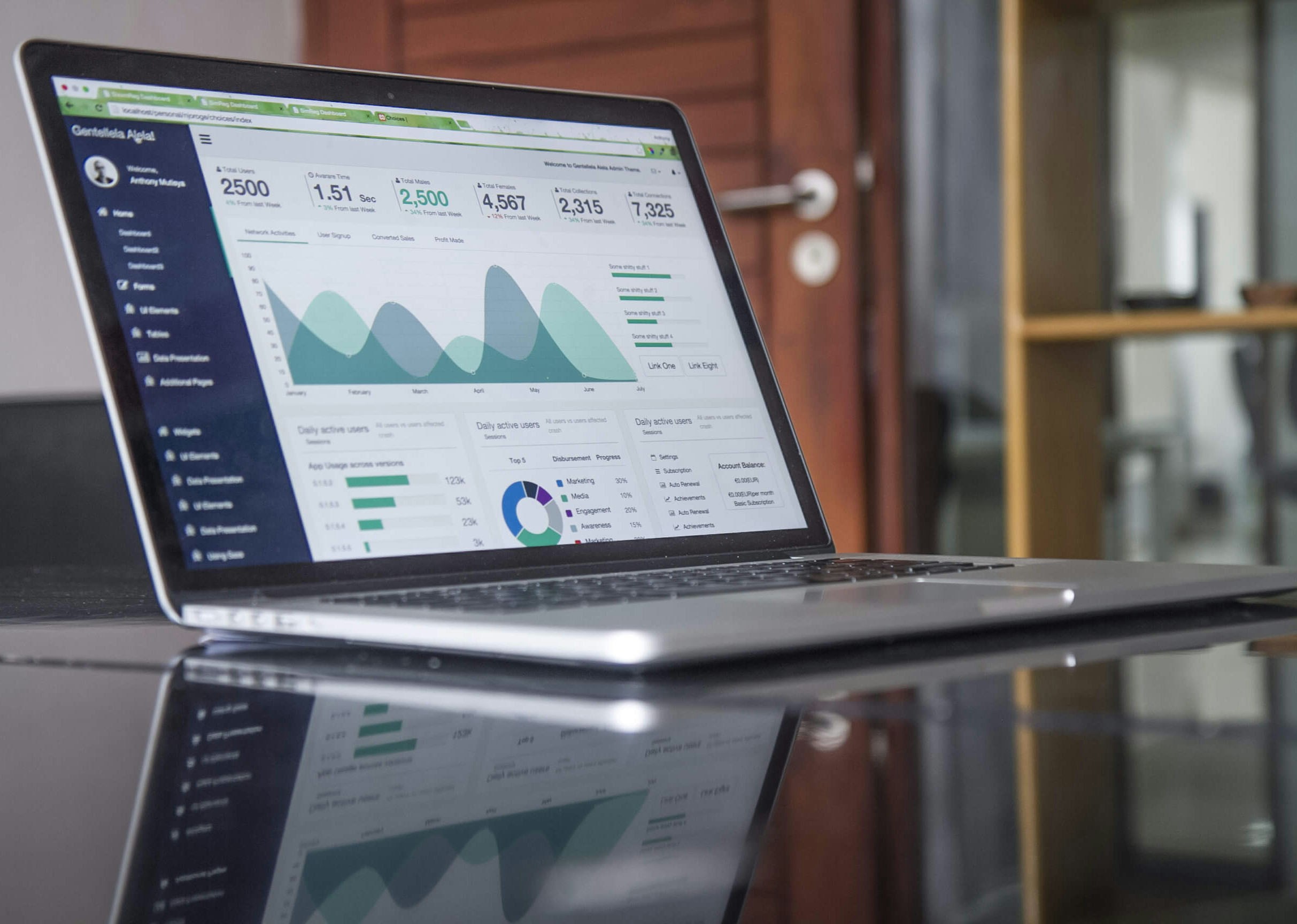
The debate about data tools often starts with the wrong question: "Which software is the best?"
The right question is rather: "Which tool will let our team make better decisions, under our actual working conditions?"
In Madagascar as in many African contexts, NGOs, associations, public institutions, social enterprises and development projects have to work with very concrete realities: sometimes limited connectivity, scattered teams, field data collection, donor reporting requirements, tight budgets, and widely varying levels of digital skills.
In this context, an extremely powerful tool can become of little use if it is too complex, poorly mastered, or disconnected from the organisation's actual processes. Conversely, a properly designed Excel file can be a remarkably effective solution for a small team.
The real goal, then, is not to accumulate software. It is to build a coherent chain: collect → check → structure → analyse → visualise → decide → learn.
This chain matters especially in SERA (Suivi, Évaluation, Redevabilité et Apprentissage), M&E (Monitoring and Evaluation), suivi-évaluation, MEAL and project steering systems.
Which data tool should you choose in Africa?
There is no universally "best" tool. There is a tool more or less suited to a decision, to an organisation, to its data, to its skills, and to its field constraints.
Excel can be particularly well suited to operational tracking, managing structured databases, data control, and quick analysis. Power BI becomes relevant when files are no longer enough to consolidate, model, analyse and share information. Tableau stands out for its exploration and data visualisation capabilities.
For field data collection, KoboToolbox is widely used for surveys, evaluations, monitoring, and MEAL data, including in offline contexts. CommCare is particularly well suited to case tracking and following beneficiaries over time. DHIS2 is a major platform for health information systems and large-scale routine data.
The choice mainly depends on five things:
- The problem to solve.
- The data already available.
- The team's skills.
- Operational constraints.
- The organisation's capacity to maintain the system over time.
Before looking for the most popular software, an organisation should identify the decisions it wants to improve.
Excel: the essential starting point
Excel remains the most accessible tool for structuring, controlling and analysing data day to day.
In an NGO, a social enterprise, an institution or a SERA project, Excel can be used to manage:
- A budget and expense tracking.
- A list of beneficiaries.
- A complaints or feedback register.
- A monitoring and evaluation plan.
- MEAL or M&E indicators.
- An inventory.
- HR and operational data.
- Survey results.
- Financial or donor reporting data.
With a rigorous structure, Excel notably allows you to clean and standardise data, control certain errors, duplicates and inconsistencies, run reproducible calculations, produce pivot tables, build charts and tracking tables, automate transformations with Power Query, and prepare data for Power BI, Tableau, DHIS2 or a database.
Microsoft describes Power Query as the data connectivity and preparation technology that lets you import and reshape information from Excel, Power BI, and other Microsoft products.
Excel's limit
Excel is not the problem. It becomes fragile when data governance is weak.
When several people work across several files, risks multiply: duplicates, altered formulas, contradictory files, outdated versions, data-entry errors, difficulty consolidating, absence of traceability.
Before investing in a complex platform, an organisation would often benefit from answering a few simple questions: who enters the data? Who checks its quality? Where is the official version kept? Which fields are mandatory? Who can modify the indicators? At what point is a piece of data considered reliable?
A clean, well-structured Excel file shared under clear rules is often worth more than a sophisticated system nobody actually masters. This is not an isolated problem: a 2021 survey of 421 social-impact organisations across Africa found that 43.71% lacked the tools and technical know-how to strategically deploy digital solutions in programme delivery and M&E.
Power BI: moving from files to steering
Power BI becomes relevant when files are no longer enough to consolidate, analyse and share data.
The tool lets you connect different sources, prepare data, build models, create indicators, and produce interactive dashboards. It can be very useful for organisations managing several projects, several geographic areas, several partners, or several donors.
Power BI is particularly well suited for SERA, M&E, MEAL and suivi-évaluation teams, NGOs consolidating results across several projects, programme leadership, finance and operations teams, and social enterprises wanting to cross-reference commercial, operational and impact data.
Microsoft documents the integration between Power BI and Excel: users can notably explore Power BI semantic models in Excel through pivot tables and connected tables.
Imagine an organisation working across several regions of Madagascar or Africa. With Power BI, it can explore results by region, district, commune, project, partner, period, sex, age group, activity or indicator.
The dashboard then becomes a tool for dialogue. It lets you ask the right questions: why is this area recording better results? Why is this indicator falling? Where is implementation falling behind? Which activity is consuming more resources? Which partner needs support? What should we verify in the field?
A dashboard does not replace a SERA system
A bad indicator displayed in Power BI is still a bad indicator. Unverified data simply becomes a more visible error. A sophisticated chart does not fix a flawed collection methodology.
Power BI speeds up analysis, but it replaces neither quality control nor field knowledge.
Tableau: when visualisation becomes a language
Tableau is a visual analytics platform designed to help users explore their data and draw actionable insights from it.
Its approach relies heavily on interactive visualisation: users can connect different sources, build charts, and explore data through drag-and-drop. Tableau frames its mission as helping people and organisations "see and understand their data."
Tableau can be particularly appealing when an organisation already has Tableau expertise, works with partners who use this environment, wants to produce advanced, highly interactive visualisations, needs to communicate complex results to varied audiences, wants to make data exploration easier for non-technical users, or plans to publish open visualisations with Tableau Public, only when the data is not sensitive.
Power BI or Tableau?
It would not be rigorous to declare a universal winner. The choice should factor in the existing technology ecosystem, internal skills, licensing and deployment costs, security requirements, available data sources, internal or external sharing needs, user habits, and the capacity to maintain the solution over time.
An organisation already embedded in Microsoft 365, Excel, Teams and SharePoint will often find Power BI more natural. An organisation that already has Tableau dashboards, trained analysts and established governance has good reasons to stay in that environment.
The best tool is the one the organisation can actually use, maintain and grow.
| Tool | Main use | Main advantage | Watch out for |
|---|---|---|---|
| Excel | Operational tracking and routine analysis | Accessible, flexible, works offline | Version control and governance |
| Power Query | Preparation and transformation | Repeatable transformations and automation | Requires structured data |
| Power BI | BI and dashboards | Modelling, consolidation, interactive analysis | Modelling and maintenance skills |
| Tableau | Visual analytics | Advanced exploration and visualisation | Cost, skills and administration |
| Looker Studio | Web reporting | Simple for certain dashboards | Assess for security and complexity |
| R, Stata, SPSS | Statistical analysis | Advanced methods and analytical rigour | Requires methodological skills |
Costs, licensing and data security: what comparison guides often leave out
Most tool comparisons stop at features. For an organisation that has to justify every expense to a board or a donor, three questions matter just as much: what does it actually cost, who can access the data, and what happens if something goes wrong on the security side.
What licences really cost
Published vendor prices often hide a more complex reality. Power BI Pro costs around $14 per user per month, but anyone who only needs to view a shared report needs the same licence, unless the organisation invests in Microsoft Fabric capacity (starting around $263 per month, only cost-effective past roughly a hundred users). Tableau follows a similar logic: a Creator licence (around $75 per month) is mandatory to build dashboards, while a Viewer licence (around $15 per month) is enough to simply view them.
| Tool | Licensing model | Approximate cost |
|---|---|---|
| Excel | Included in Microsoft 365 | ~$6 to $12 / user / month |
| Power BI Pro | Per user | ~$14 / user / month |
| Tableau Creator | Per user (authoring) | ~$75 / user / month |
| Tableau Viewer | Per user (read-only) | ~$15 / user / month |
| KoboToolbox | Free for non-profit organisations | $0 (unlimited surveys) |
| CommCare | Free edition available | $0 to from ~$100 / month depending on needs |
| DHIS2 | Open-source software | $0 licence, but hosting and implementation to budget for |
This table gives an order of magnitude, not a quote: prices change regularly, and significant discounts often exist for the non-profit sector through programmes such as Microsoft for Nonprofits or TechSoup. Always check current pricing with the vendor before budgeting.
KoboToolbox, and to some extent DHIS2, stand out for a model particularly suited to the sector's tight budgets: free for non-profit use, with no artificial limit on the number of surveys. It is no accident that these tools dominate field data collection in the humanitarian and development sectors.
A 2021 survey of 421 social-impact organisations across Africa found that 68.65% had no defined annual technology budget, and only 12.59% had donor funding specifically earmarked for technology needs. Licensing fees were among the two most cited technology needs, just behind staff training. This reinforces a principle already raised: a tool's cost should be assessed upfront, not discovered after the fact.
Data security is not optional
An organisation collecting data on beneficiaries, households, or vulnerable individuals carries a responsibility that goes beyond technical compliance. The key pan-African legal framework is the African Union Convention on Cyber Security and Personal Data Protection, adopted in 2014 and known as the Malabo Convention: the first continent-wide legal instrument to specifically address this issue.
The humanitarian sector has its own benchmarks too. The UN's Inter-Agency Standing Committee has published operational guidance on data responsibility in humanitarian action, which rests on a simple but often overlooked principle: poorly protected data can expose already vulnerable people to additional risk.
In practice, this means asking concrete questions before choosing a tool: where is the data hosted, and in which country? Who has access to the raw data, and under what authorisation? Is sensitive data encrypted, both at rest and in transit? What happens to data once a project ends? Was consent obtained from the people concerned, and do they know how to withdraw it?
These are not questions reserved for legal teams. They should be part of the criteria for choosing a tool, on equal footing with price or ease of use.
KoboToolbox, DHIS2 and CommCare: data starts in the field
A common mistake is separating analysis tools from collection tools. Yet poor data collected at scale does not become good data once it reaches Excel, Power BI or Tableau. The data chain must be thought of as a whole.
KoboToolbox: collecting data in real-world contexts
KoboToolbox is widely used in the humanitarian, development, research and monitoring-evaluation sectors. The platform lets you build forms, collect data, manage projects, and put information to use for surveys, monitoring, evaluations, and research.
KoboCollect, its Android app, lets field teams fill in and submit forms even while offline, then sync data once a network becomes available. The CDC ranks KoboToolbox among the tools suited to data collection in difficult environments.
KoboToolbox can be useful for household surveys, needs assessments, satisfaction surveys, field supervision, activity tracking, field visits, community feedback collection, final or midline evaluations, and collecting SERA, M&E or MEAL indicators.
DHIS2: structuring data at scale
DHIS2 is particularly important in health information systems. It is used by ministries of health in many countries to manage routine data, from the health facility level up to the national level. The CDC describes it as an integrated health information system used in more than 70 countries.
DHIS2 can support routine data collection, indicator management, surveillance, data validation, dashboards, performance analysis, health planning, and service and programme tracking.
But DHIS2's power comes with a requirement: the system must be properly governed. Installing a platform does not automatically create a reliable information system. Indicators, metadata, user roles, validation procedures, data flows, quality-control mechanisms and responsibilities must all be clearly defined.
CommCare: tracking people and processes over time
CommCare, developed by Dimagi, is designed to build data collection and service delivery applications, particularly for field teams. The platform works offline and syncs data once connectivity returns.
One of its key features is case management. It lets you track a person, a household, or another entity over time, with a history of interactions, services received, appointments, or referrals.
A one-off survey mainly seeks to answer the question "What is happening today?" A case-tracking system rather seeks to answer "What has happened with this person or household over time?" KoboToolbox and CommCare can therefore be complementary rather than competing.
Building a data ecosystem for SERA, monitoring-evaluation and MEAL
An organisation's digital maturity is not measured by the number of software packages installed. It is measured by its tools' ability to work together in service of a useful decision.
An architecture can evolve progressively through six steps: first, collect, using KoboToolbox or CommCare to gather data from field teams, beneficiaries, households, or partners. Then check and transform, using Excel and Power Query to verify, clean, harmonise and transform data. Then centralise, using DHIS2, a SQL database, or a data warehouse depending on volume and organisational maturity. Then analyse and visualise, with Power BI, Tableau, or other business intelligence tools. Then decide, in data-review meetings bringing together management, SERA, M&E, MEAL, finance and operations teams. And finally learn, through capitalisation, documenting lessons, and improving processes.
This last step is too often forgotten. An organisation can have powerful platforms and still decide mainly by intuition if it has not put analysis and discussion routines in place.
Conversely, a small association can start with a clean Excel file, a few useful indicators, and a monthly data-review meeting. This alone can considerably improve steering.
Five questions to ask before choosing a tool
1. Which decisions do we want to improve?
Start from the decision need, not the software. For example: do we want to better track expenses? Identify lagging areas? Reduce reporting delays? Track beneficiaries over time?
2. What data is actually needed?
Not all data an organisation can collect is useful. Collecting more does not automatically mean deciding better.
3. Who collects, verifies, analyses and uses the data?
A technical architecture without clearly defined responsibilities quickly becomes fragile.
4. What are the real constraints on the ground?
Connectivity, available devices, skill levels, languages used, data security, and licensing and maintenance costs.
5. What will happen after the training?
Training a few people is not enough. The organisation must also know how to maintain models, document indicators, and avoid depending on a single person. The same survey of 421 African organisations found that staff training ranked as the top technology need (31.41%), ahead of software licensing itself: human capacity remains the limiting factor, more than the tool.
The real issue is not the tool: it's the capacity to decide
An organisation can have excellent software and still make poor decisions. Why? Because the quality of a decision depends on the quality of the question asked, the quality of the data, the quality of the analysis, understanding of the context, and the organisation's capacity to act.
A dashboard does not replace a discussion. An indicator does not replace the field. A database does not replace a strategy. Software does not replace skills.
This is why data transformation is as much a human and organisational question as a technological one.
Helpazone's role
At Helpazone, the approach starts from the organisation's real need, identifies the data required, chooses the appropriate tools, and progressively builds the team's skills.
The goal is not to turn every professional into an expert in every piece of software. It is to help NGOs, institutions, businesses, and project teams develop a lasting capacity to collect reliable data, structure their information systems, strengthen their SERA, monitoring-evaluation, M&E and MEAL systems, analyse results, build useful dashboards, and turn data into decisions.
Helpazone offers pathways and support around Excel, Power BI, Tableau, KoboToolbox, DHIS2 and CommCare, as well as a complete MEAL pathway to durably structure your monitoring-evaluation systems. The programmes notably aim to design robust forms, put collected data to use, and connect it to analysis and reporting tools.
The goal is not to adopt the most popular tool. It is to put in place a system your organisation can actually use, maintain and grow.
Frequently asked questions
Excel or Power BI: which should an NGO choose?
Excel is generally the best starting point for structuring, cleaning and tracking data. Power BI becomes relevant when the organisation needs to consolidate several sources, automate certain analyses, and share interactive dashboards with multiple users.
Can KoboToolbox be connected to Power BI?
Yes. KoboToolbox data can be exported or integrated into a preparation process before being used in Power BI. Form structure, unique identifiers, mandatory fields, and quality rules are essential before any visualisation.
KoboToolbox or CommCare: what's the difference?
KoboToolbox is often well suited to surveys, evaluations, supervision, and one-off data collection. CommCare is particularly relevant when teams need to track the same people, households, or cases over time.
Is Tableau better than Power BI?
There is no universal answer. Tableau is particularly well regarded for data exploration and visualisation. Power BI is often a natural choice for organisations already equipped with Microsoft 365 and Excel.
Is DHIS2 limited to health?
DHIS2 is widely used in health information systems, especially for routine data. Its use in other sectors depends on institutional needs, governance, and available technical skills.
Which tool should be used for SERA, monitoring-evaluation or MEAL?
There is no single tool. Excel can be enough for simple tracking. KoboToolbox can support field data collection. Power BI or Tableau can strengthen analysis and visualisation. CommCare can be relevant for case tracking, while DHIS2 is better suited to large-scale routine data systems.
Key takeaway
There is no absolute best data tool. There is a tool better suited to a given problem, organisation, and context.
For many organisations in Madagascar and across Africa, the best strategy is not to choose between Excel, Power BI, Tableau, KoboToolbox, DHIS2 and CommCare. It is to understand how to progressively build a coherent ecosystem, with the right responsibilities, appropriate skills, and clear data governance.
Because the real goal is not technology. The real goal is turning data into useful decisions.
Main sources
- ACT Foundation: Digital Transformation and African Non-profits, survey of 421 organisations
- African Union: Convention on Cyber Security and Personal Data Protection (Malabo Convention)
- IASC (United Nations): Operational Guidance on Data Responsibility in Humanitarian Action
- Microsoft Learn : Connect Excel to Power BI semantic models
- Microsoft Learn : What is Power Query?
- Tableau : Business Intelligence and Analytics Software
- KoboToolbox : Dashboard Development
- Centers for Disease Control and Prevention : Guide to Global Digital Tools for COVID-19 Response
- Dimagi : CommCare, the digital platform for frontline success